

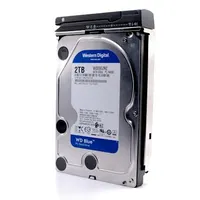
Nobody wants to think about it. But occasionally a web host does lose customer data — through a hardware failure, a security incident, a botched server migration, or something as mundane as a misconfigured script running at 2am. When it happens to you, the next few hours matter a lot.
Here’s what to do, what to ask, and how to put yourself in a position where it can never hurt you again.
First: Don’t Panic, Do Act Fast
The moment you suspect data loss — your site’s gone, your email’s bouncing, your host is vague about what happened — start the clock. A few things to do immediately:
Contact your host directly. Not via their website (which may be down), but via phone if they have one. Email if not. Get a written record of what they say and when they say it. If they can’t tell you what happened, that’s an answer in itself.
Check if you have your own copies. Before anything else, check the obvious places: your laptop, Dropbox, Google Drive, a recent download of your site files. Many people have more than they think — a developer may have a local copy, your designer might have source files, your WordPress plugin might have exported a recent backup.
Check the Wayback Machine. web.archive.org crawls the web regularly. It won’t have your database or email, but it may have snapshots of your site pages going back years. It’s not a backup solution, but in a pinch it can help you reconstruct content.
What to Ask Your Host
If your host is still responsive, get specific answers:
- What exactly was lost? Files only? Database? Email? All of the above?
- Do you have backups, and when were they last taken? A host that can’t answer this clearly probably doesn’t have them.
- What is the recovery timeline? Hours or days?
- What caused this? A hardware failure is different from a security breach — the latter means you may have other problems to deal with (passwords, compromised data).
A good host should be able to answer all of these promptly. Vague answers or silence is a red flag.
If Your Host Has No Backups
This happens more than you’d think with budget hosts. Some providers keep no meaningful backups at all, or their backups were stored on the same hardware that failed.
At this point your options are:
- Reconstruct from your own copies — even partial files, screenshots, cached pages
- Hire a professional — for complex database recovery or ransomware scenarios, specialists exist, though it’s expensive and not always successful
- Start fresh — painful, but sometimes faster than the alternatives, particularly for a simple brochure site
How to Protect Yourself Going Forward
The honest answer is that some of this is on the host, and some of it is on you. The best outcome is when both parties are doing the right thing.
Choose a host that takes backups seriously. Ask specifically: where are your backups stored? How often are they taken? Are they offsite? A backup stored on the same server it’s protecting is not a backup — it’s a false sense of security.
At Web Hosting Services, we run nightly backups with cross-Tasman replication — your data lands on New Zealand soil every morning, completely independent of our Sydney infrastructure. If Sydney became unreachable tomorrow, your data is already here.
Keep your own copy. Even a monthly manual download of your site files and a database export is better than nothing. Most control panels including DirectAdmin make this straightforward.
Test your backups. A backup you’ve never restored from is a backup you can’t trust. Ask your host how to do a test restore, or do one yourself in a staging environment.
Understand what your host actually backs up. Most hosts back up everything on your account — files, databases, and email together. That’s fine. What matters is that the backup exists, is taken regularly, and is stored somewhere independent of the server it came from. One good offsite backup covers your whole account regardless of what’s on it.
The Uncomfortable Truth
The hosting industry has a long tail of providers who cut corners on infrastructure, run ageing hardware beyond its useful life, and treat backups as an afterthought. When something goes wrong, customers find out the hard way.
We’ve helped people in exactly this situation — including customers who came to us after their previous host couldn’t recover their data. In more than one case we’ve rebuilt sites from Wayback Machine snapshots and whatever files the customer could dig up.
It’s recoverable more often than people expect. But it’s a lot less stressful when you’ve got a host that wasn’t the problem in the first place.
If you’re currently dealing with a data loss situation, get in touch — we’ll tell you honestly what your options are. If you’d just like hosting that takes this seriously from the start, our plans start from $6/mo.